Creating sessions in a few steps
Intuitive process of creating a private session. Add photos, configure package settings and share the gallery with the client in minutes.
- 1Session type
- 2Client details
- 3Package setup
- 4Publish
How do private sessions?
Have full control over individual sessions
Upload photos for selection
- •Easily customize gallery appearance to your preferences
- •System automatically applies watermark to photos
- •Configure offer, add pricing or set package
- •Add package upgrade options and additional sales
Client chooses and purchases
- •In a convenient and clear shopping cart
- •Safely pays for orders online
- •System automatically suggests larger package and additional products
- •Also effectively collects and stores publication consents
Share ready photos
- •In an aesthetic online album with various customization options
- •Client downloads photos directly from the album
- •And you create print orders and order prints directly from your panel
Who are private sessions for?
This solution is designed for photographers specializing in individual sessions
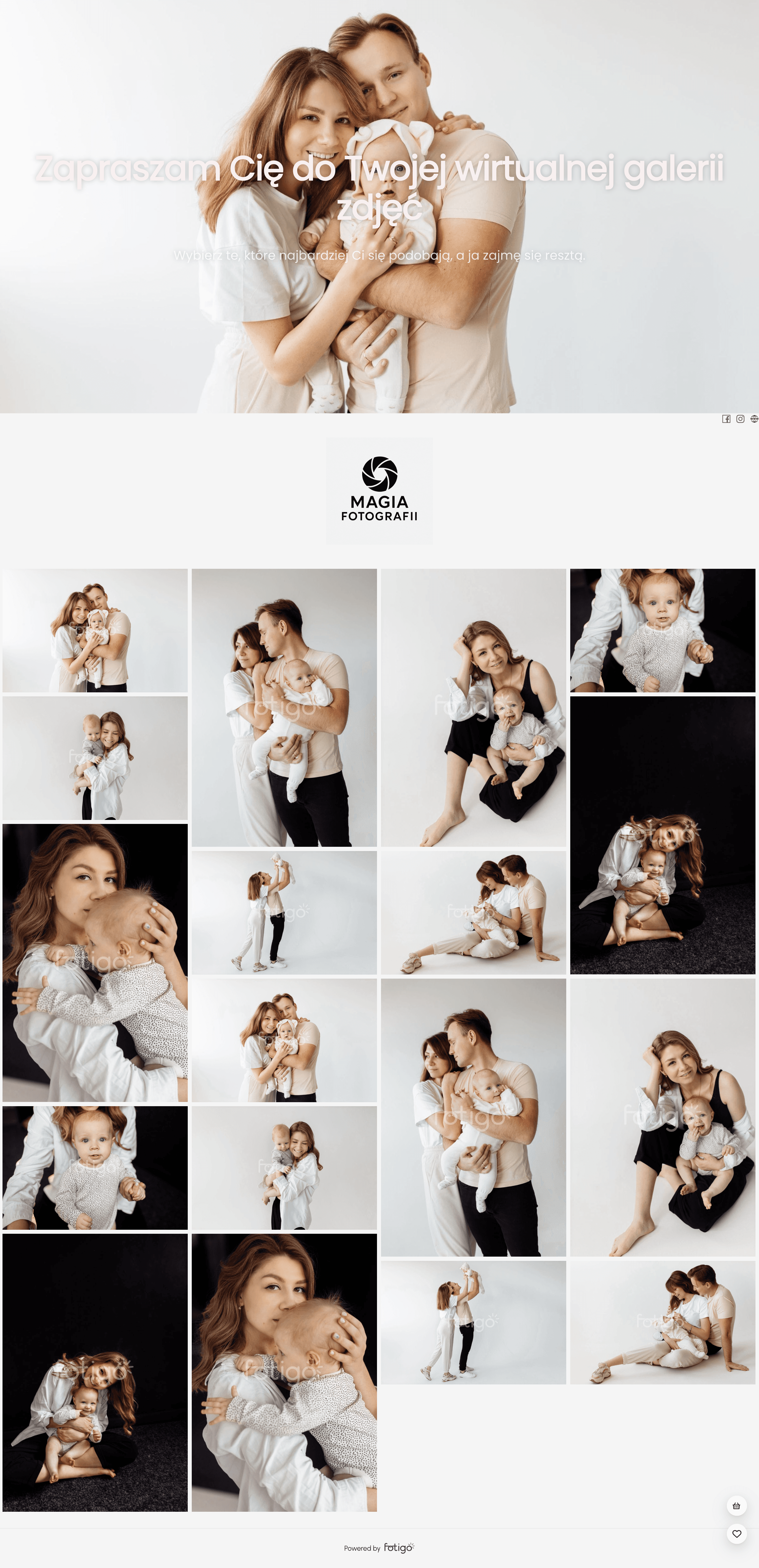
Professional private gallery
Dedicated to photographers offering clients a specific photo package, independent shot selection and additional product purchase options
- Portrait photographers (headshots, boudoir, fashion, business sessions)
- Family photographers (maternity, newborn, children sessions)
- Event photographers (wedding reports and other celebrations)
Why choose our private sessions?
This tool automates your work, helping you earn more with less effort.
Create galleries in 4 simple steps
Quick photo upload for selection, simple sales configuration and gallery appearance customization.
Intuitive photo selection
Aesthetic and clear galleries for clients - easy orders and fast online payments.
Add-on product sales
Clients buy prints, products and larger packages right in the cart - higher order value.
Secure and private photo sharing
Gallery access via dedicated link and photos protected with watermarks.
Responsive design
Galleries accessible and convenient to use on all devices, including smartphones and tablets.
Printing and shipping under control
Manage prints and shipping without leaving your panel
Print orders from the panel
Pick photos, quantities and format from the session price list.
Print-ready files
Download a ZIP and handle printing yourself or at your own lab.
Prints, packages and formats
Configure your offer and prices in settings.
InPost shipping
Generate a label and track the parcel to the locker.
All in one place
Order list and statuses in your panel.
A gallery in your style
A consistent look that builds your brand.
Your own gallery cover
Set a cover photo - from the first moment the client sees your shot, not a template.
Your logo on photos
Add your own watermark (image or text) - the gallery carries your brand and protects the photos.
Light and dark mode
Clients choose a light or dark gallery view for comfortable browsing.
Questions about client galleries
How to share photos and collect your client's selection.
How do I share a photo gallery with my client?
You send your client a dedicated, private link. The client doesn't need to create an account upfront - they open the link, browse the photos and make their selection, providing details only at checkout.
What's the best way to deliver a large number of photos?
Instead of sending heavy files, you share an online gallery via link - the client views every shot in the browser and downloads only what they order.
Can the client choose the photos themselves?
Yes. The client marks their favourite shots right in the gallery, and you receive a ready-made selection - no email lists or misunderstandings.
In what format does the client receive photos?
The client downloads high-quality digital photos, and orders prints and products directly from the gallery.
Is the client gallery secure?
Yes. You share galleries through a private link, photos are protected with a watermark, and files are stored on secure servers over an encrypted connection.